
Make a branded open house sign-in sheet with your logo, photo and colors, print it as a PDF, and put a QR code on it so visitors can sign in on their phones and you leave with a clean list.
Preview · US Letter, landscapeUpdates as you type
The sign-in sheet sits on the kitchen island for the whole open house, and every visitor reads it. It should look like yours. In the tool above you can:
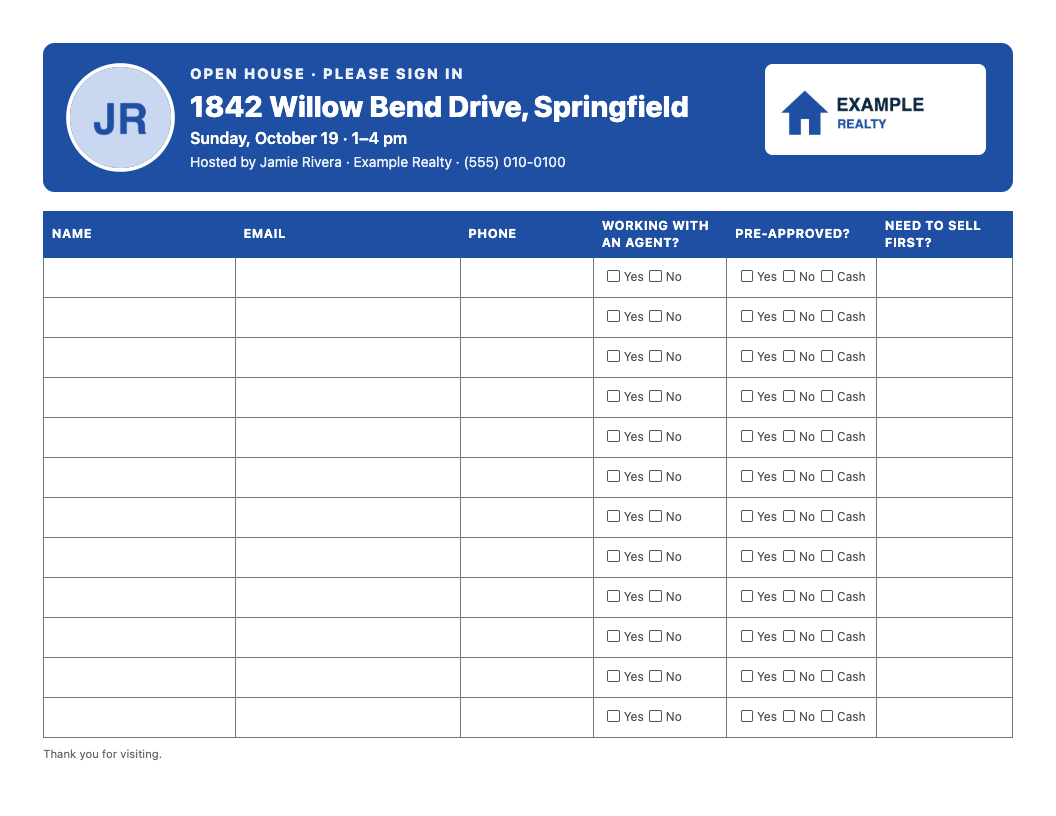
Your logo and photo are resized in your browser and never uploaded to us. The tool remembers your branding on this device, so your next open house sheet takes ten seconds. Brand my sheet →
Three layouts, US Letter landscape, twelve visitors to a page. Download one blank, or pick it in the tool above to print it with your address, date and contact details filled in (and your QR code in the corner).
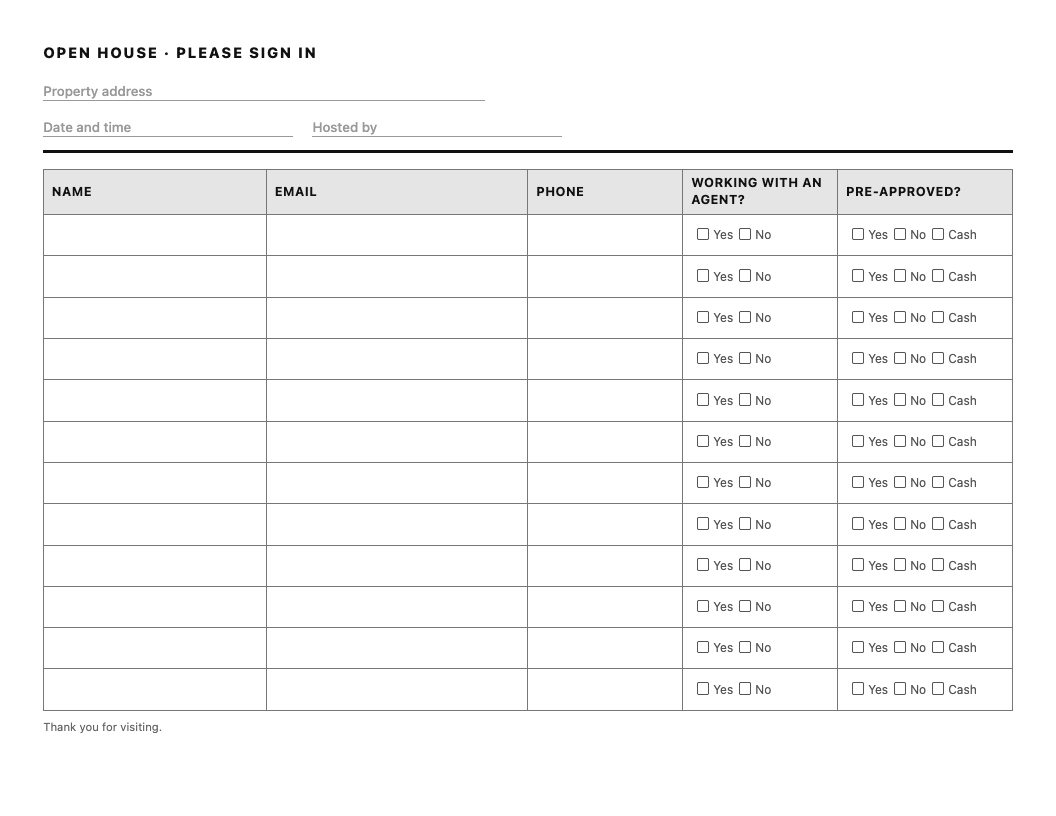
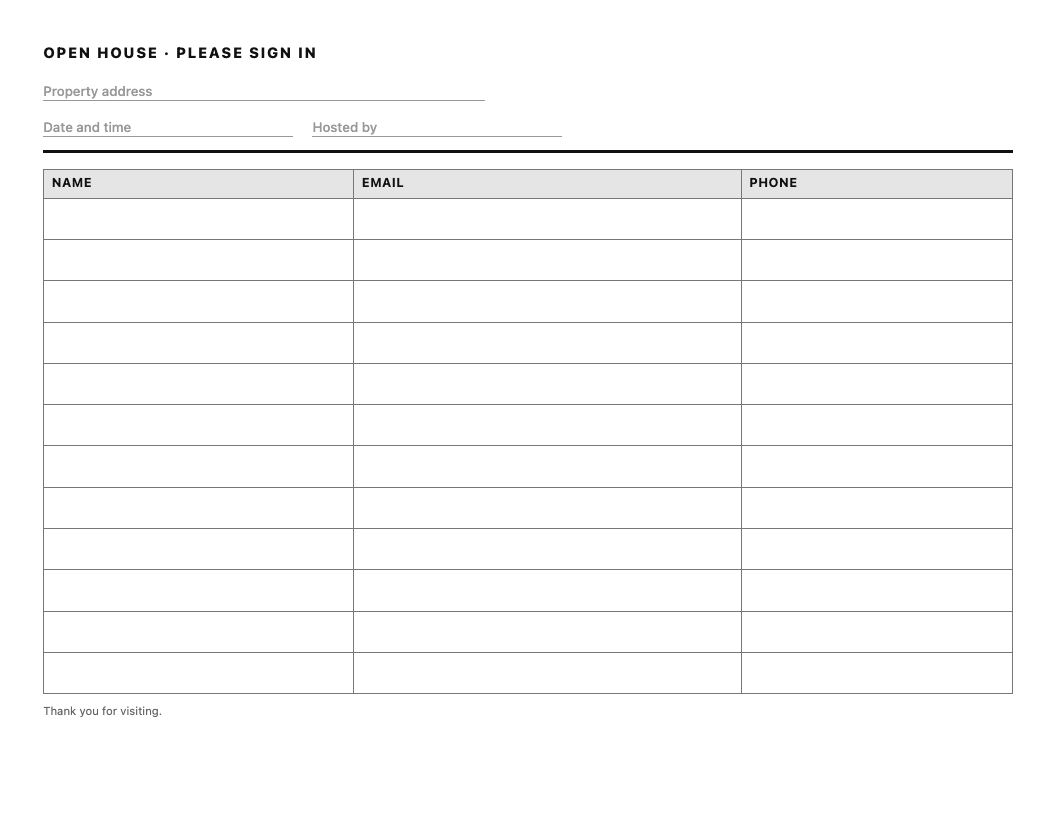
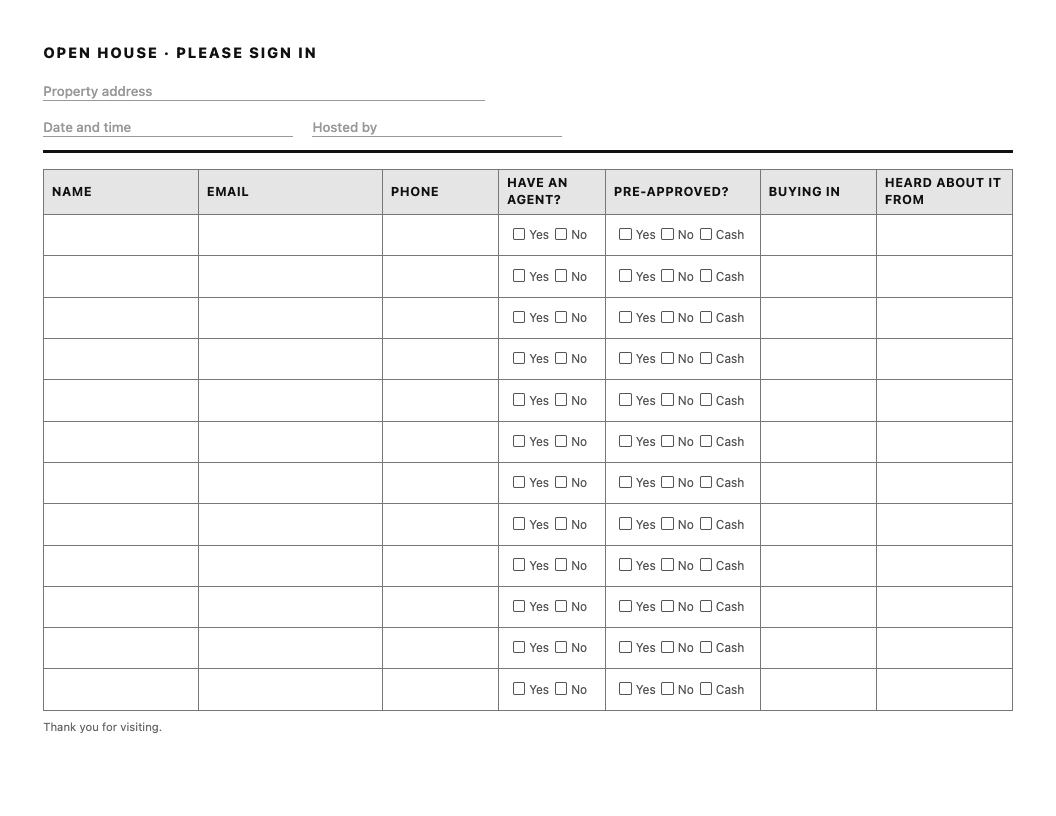
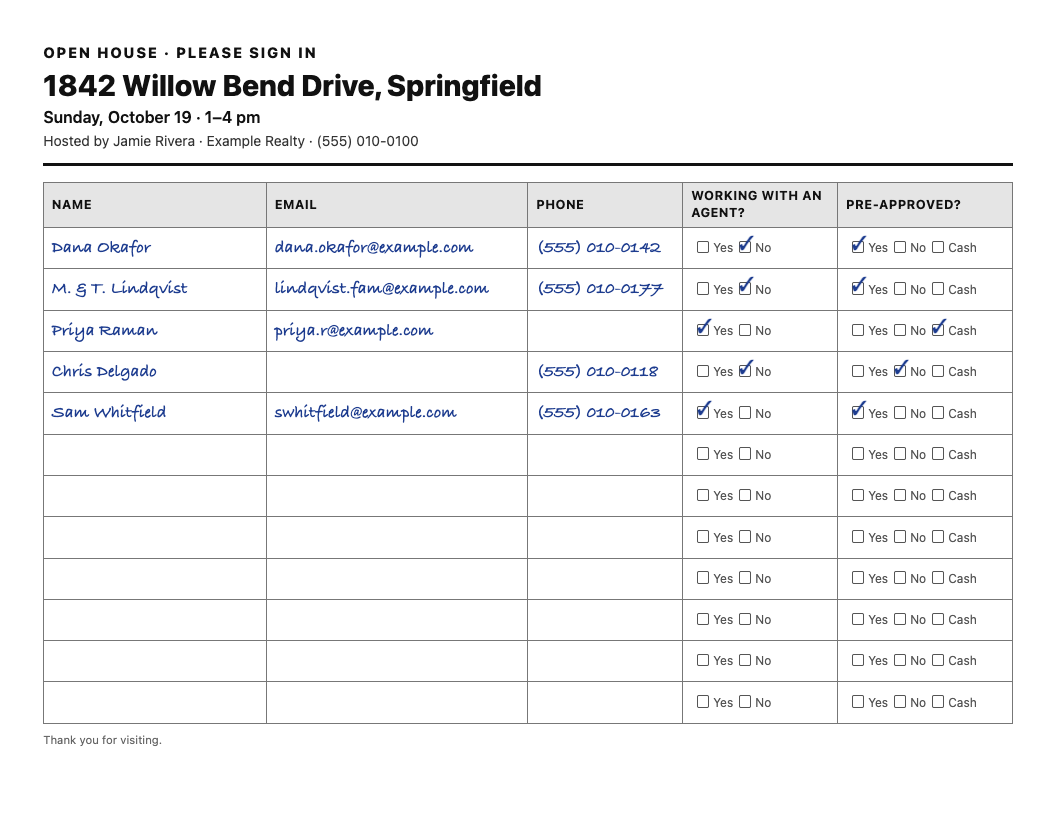
What makes this sheet useful the next morning:
Paper and QR codes each lose people. Some visitors will not scan a code, and handwriting on a clipboard is hard to read and leaves every earlier visitor's phone number on show to the next one. So print the sheet with the QR code on it: anyone with a phone signs in privately in a few seconds, and anyone without one still has a pen. Make the QR sign-in first, then print. The code goes in the corner of the sheet.
| Field | Why it is there |
|---|---|
| Name | So you know who you are following up with. |
| Email and phone | Ask for both and accept either. Some people will only give one, and you would rather have one than a blank line. |
| Working with an agent? | Tells you who you can follow up with as a prospective client, and who already has someone. |
| Pre-approved? | The difference between a buyer and a neighbor, and the opening for a lender introduction. |
| Buying timeline (optional) | Who to call this week and who to add to a monthly email. |
Ask three or four questions, not ten. Every extra column is a visitor who skips the sheet. And keep the questions about the home search. Do not ask about family, religion, national origin or anything else the Fair Housing Act protects. The answers are not yours to act on, and having asked can look like it.
No. NAR's consumer guide to open houses and written agreements says a buyer who is just visiting an open house, or asking an agent about their services, does not need to sign one, and the agent hosting it on the seller's behalf does not need one with the visitors either. Once you start working with a visitor as their agent, the written-agreement rule applies before you tour homes with them. Your state may add its own rules, so check with your broker.
| Paper sheet | QR code sign-in | |
|---|---|---|
| Works for everyone | Yes | Only visitors with a phone |
| Legible | Often not | Always |
| Other visitors can see the entries | Yes | No |
| A spreadsheet afterwards | You type it up | One click |
| Needs a signal | No | The visitor's phone does |
Yes. The printable sheet, the blank PDFs and the QR sign-in are all free, with no account and no watermark.
Yes. Add your brokerage logo and a headshot, choose a style (classic, a color header, or lines only) and your brand color, and add one question of your own as an extra column. The images are resized in your browser and never uploaded to us, and this device remembers your branding for your next open house.
Only someone with your private results link. We do not show them to anyone else, do not contact the people who sign in, and do not pass their details to anyone.
90 days from the day you create the sign-in, then they are deleted automatically. You can delete them sooner from your results page, all at once or one at a time. Download the spreadsheet before then if you want to keep them.
We cannot recover it: we only store a scrambled version of it, so we cannot look it up for you. Copy it, or use “Email it to me” when you create the sign-in. Links you create are also listed on this page on the same device.
Yes. Open the sign-in page on an iPad or any tablet and leave it by the door. After each visitor signs in there is a button to sign in the next person.
Make a new sign-in for each open house, so each list belongs to one property and one date.
You choose which questions to ask: whether the visitor is working with an agent, whether they are pre-approved, and when they hope to buy. Name plus an email or phone number is always asked.
Need sign-ins to land in your CRM? We priced 19 apps and read their terms for who else gets your visitors’ details. Compare open house sign-in apps →
Reallyo turns the details you enter once into a listing website, a video, a month of social posts and portal syndication.
Start with Reallyo →