
Download a blank open house sign-in sheet, brand one with your logo and print it, or add a free QR code so visitors sign in on their own phones. No account, no watermark.
Blank, US Letter landscape. Or fill in your listing and branding below. See all templates ↓
Preview · US Letter, landscapeUpdates as you type
Six free templates: four printable PDFs from the tool above, plus Word and Excel versions you can edit. All print on US Letter in landscape, twelve visitors to a page. Download one blank, or press “Customize it” to put your address, date, contact details, logo and QR code on it.
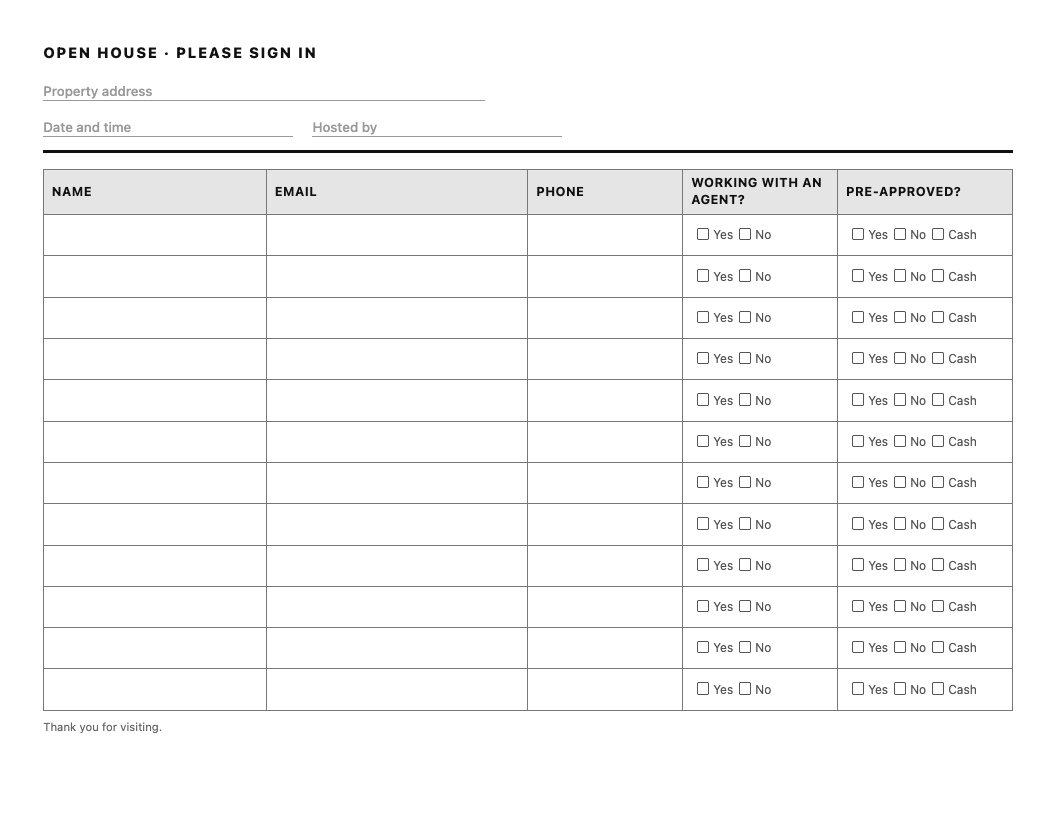
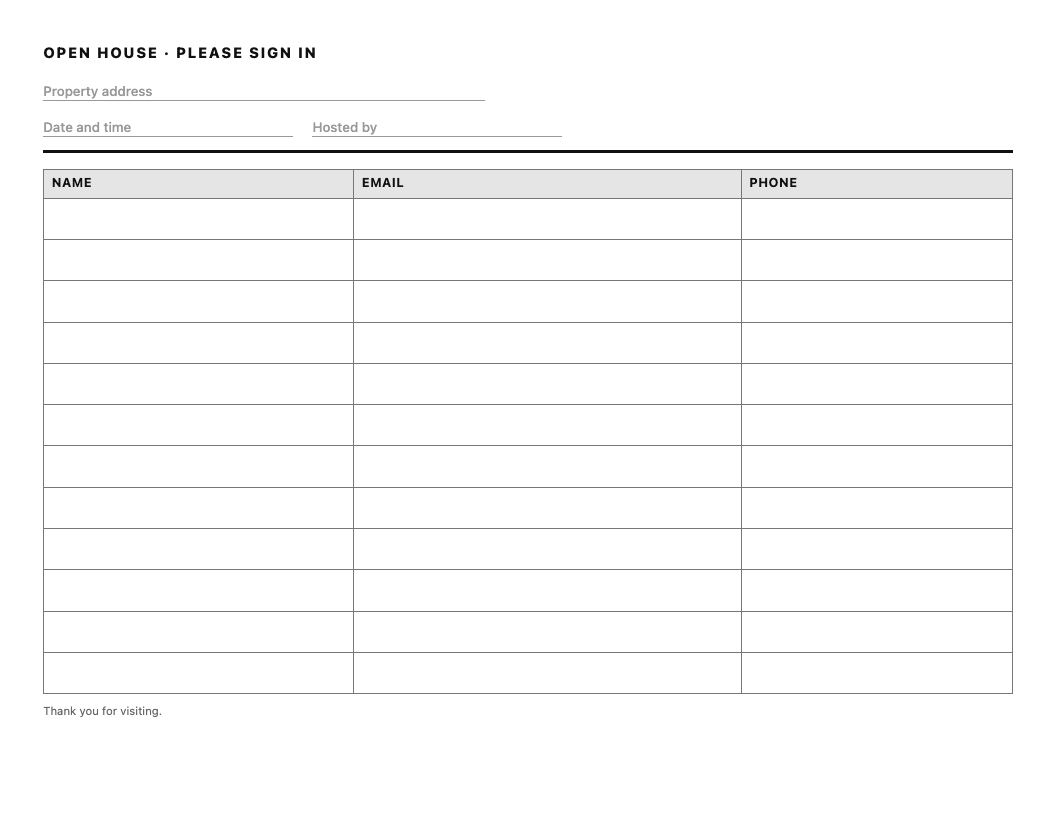
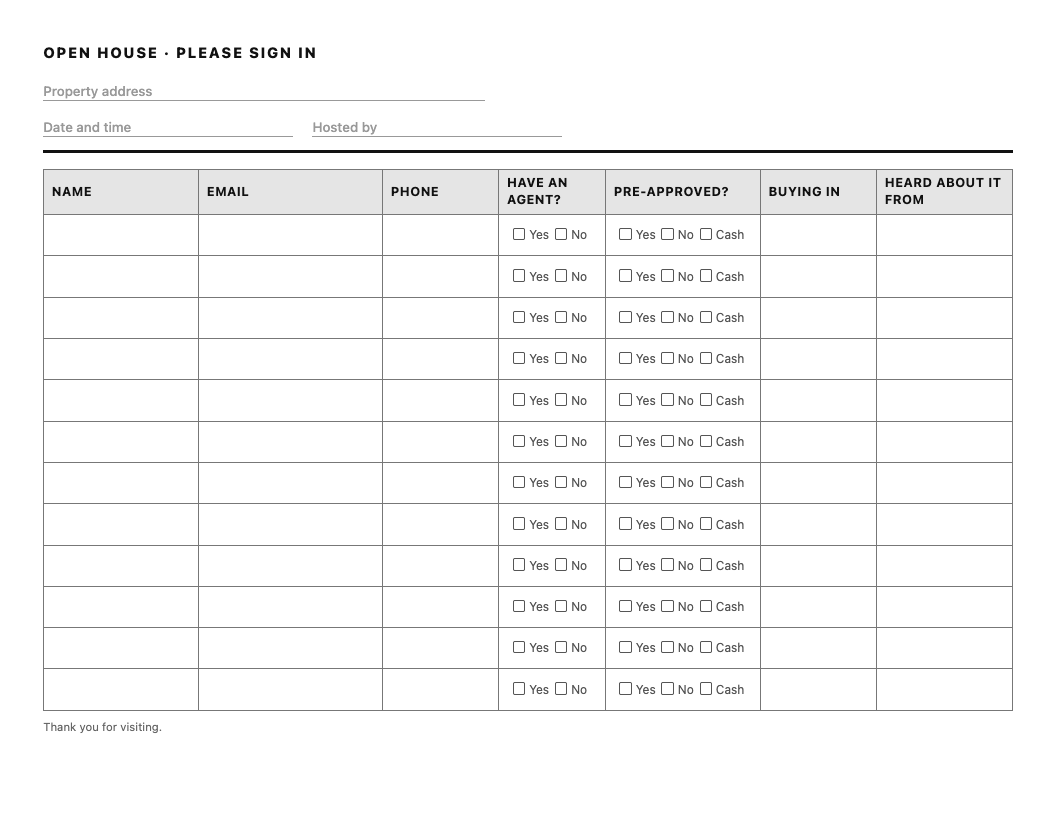
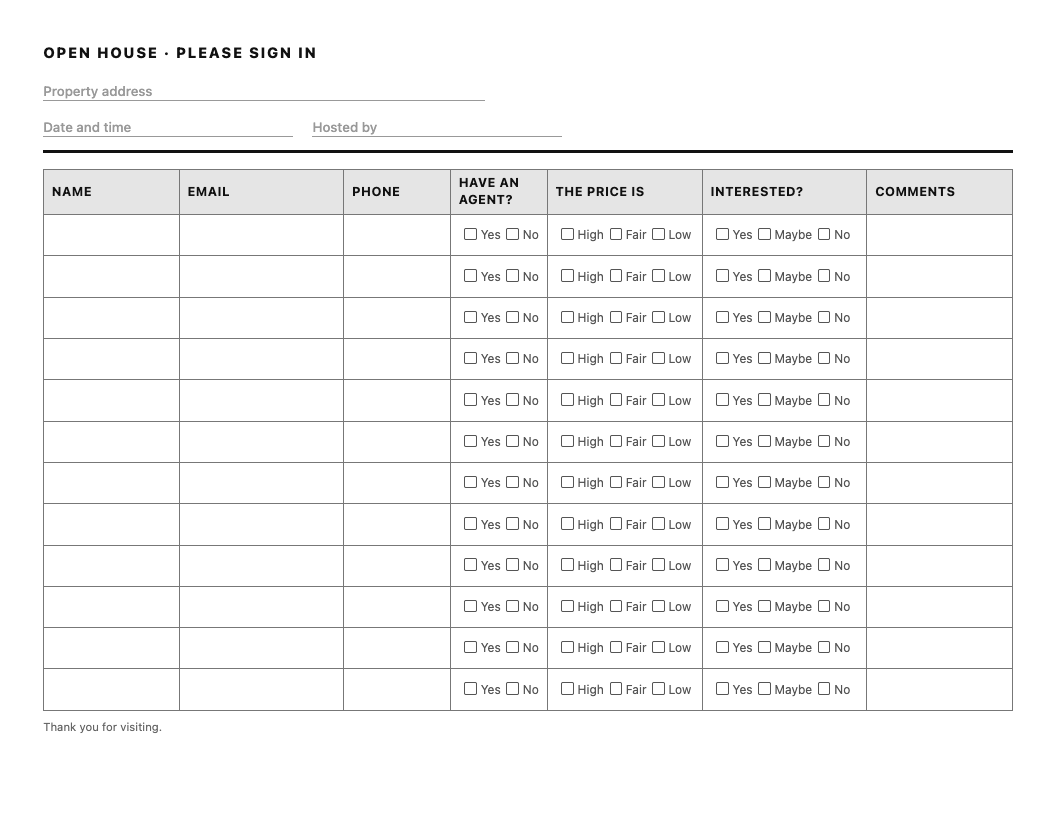
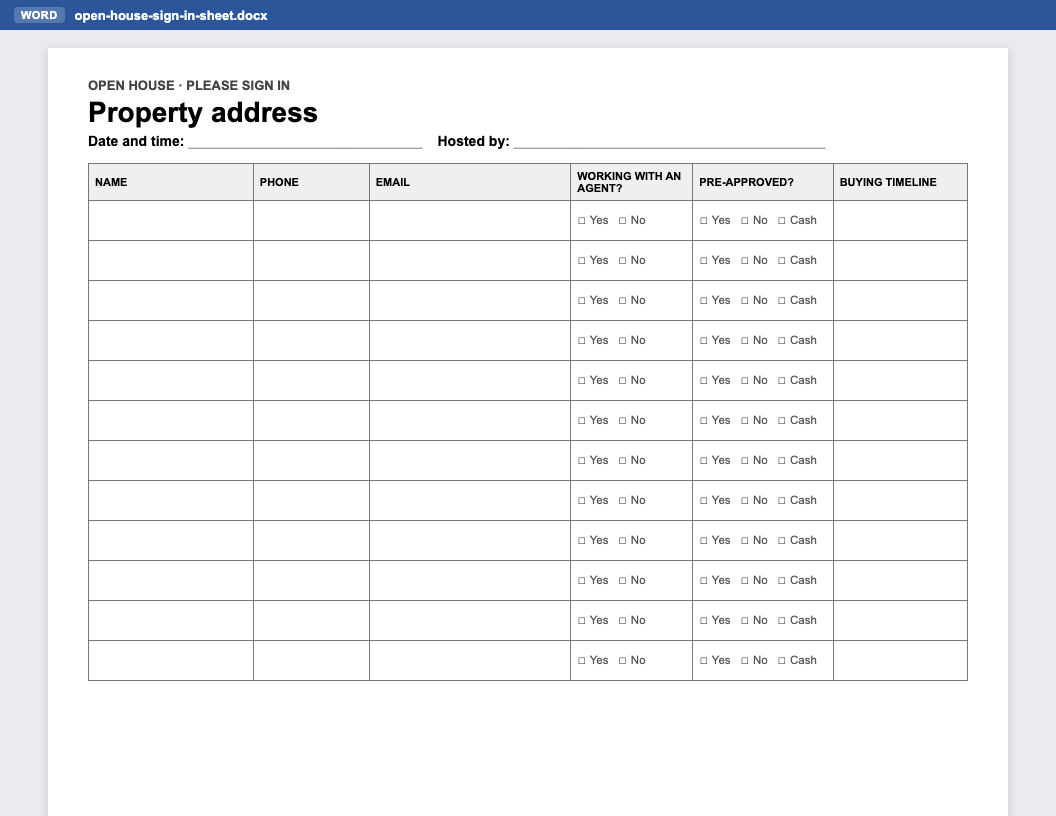
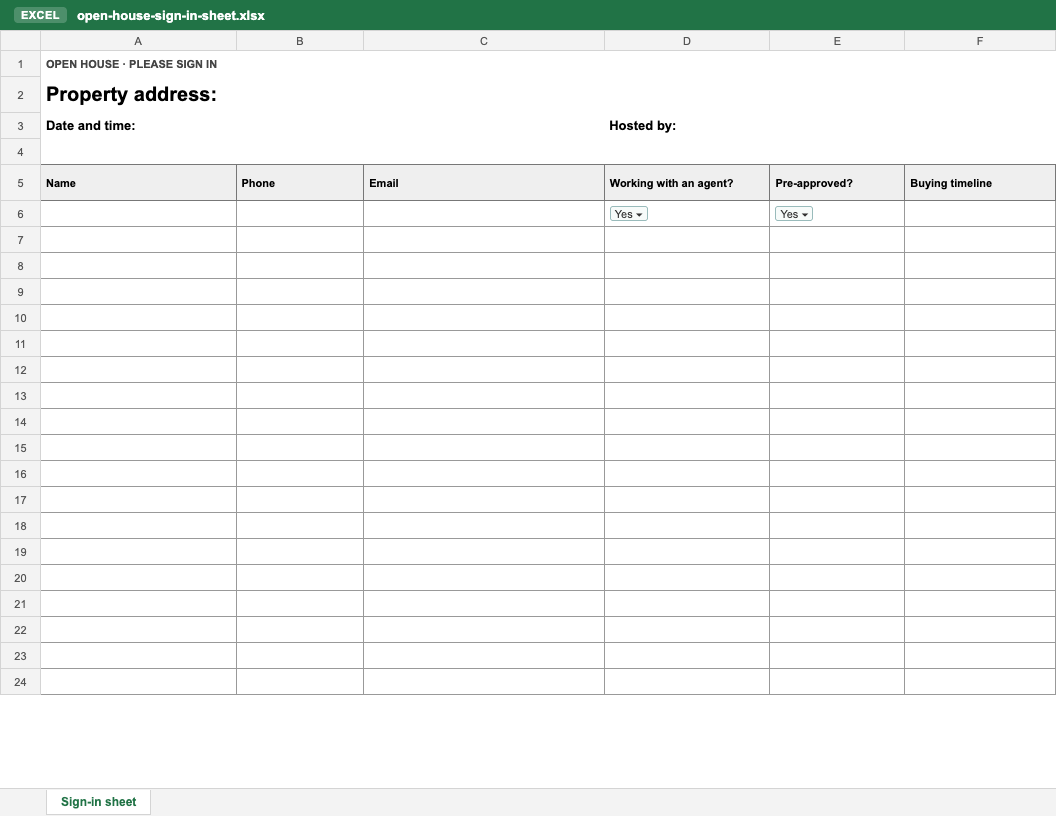
Collecting opinions for the seller as well? There is a separate one-page open house feedback form (PDF, Word and an Excel log).
Five things: name, email, phone number, whether the visitor is working with an agent, and whether they are pre-approved for a mortgage (or paying cash). Those five tell you who to call first the next morning. A buying timeline is a good optional sixth, and it is the one most checklists add, including Google’s own AI summary for this search. We would still take pre-approval first: “are you pre-approved?” changes who you call tomorrow more than “when are you buying?” does.
| Column | Why ask | What to do with the answer |
|---|---|---|
| Name | You address the follow-up to them. | Write it the way they would like to be called. |
| The thank-you and the listing’s link go here. | Send a thank-you the same day. | |
| Phone | The fastest way to reach a serious buyer. | Ask for both email and phone, and accept either. |
| Working with an agent? | A visitor with an agent is that agent’s client. | If yes, a short thank-you, nothing more. |
| Pre-approved? Yes / No / Cash | Tells you who could make an offer this month. | Call the pre-approved visitors without an agent first. “Not yet” is the opening for a lender introduction, if they want one. |
| Buying timeline (optional) | Separates this month from next year. | Who to call this week, and who to add to a monthly email. |
| Address (optional) | NAR’s open house safety tips ask for “full name, address, phone number and email.” | Add it if your brokerage wants it for its records. Otherwise it is the first column to cut: your follow-up goes by email and phone, not mail. |
The sheet is not a survey. It is tomorrow’s call list, so every column has to earn its place: each extra one (“How did you hear about us?”, “Comments”) is another box to skip on a clipboard, and a half-filled row is a contact you cannot follow up. Ask how they heard about the open house in conversation, and if the seller wants opinions, use the version with a feedback section or the separate feedback form.
Keep every question about the home search. Do not ask about family, religion, national origin or anything else the Fair Housing Act protects. The answers are not yours to act on, and having asked can look like it.
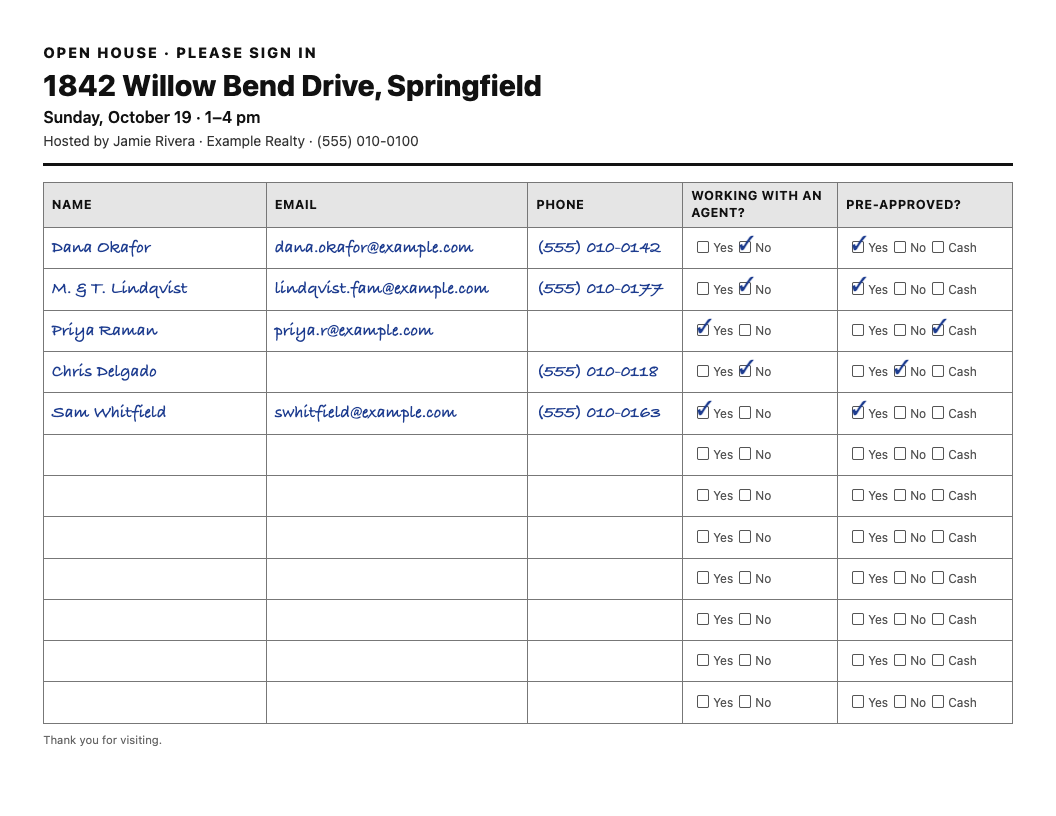
What makes this sheet useful the next morning:
The sign-in sheet sits on the counter for the whole open house, and every visitor reads it. It should look like yours. In the tool above you can:
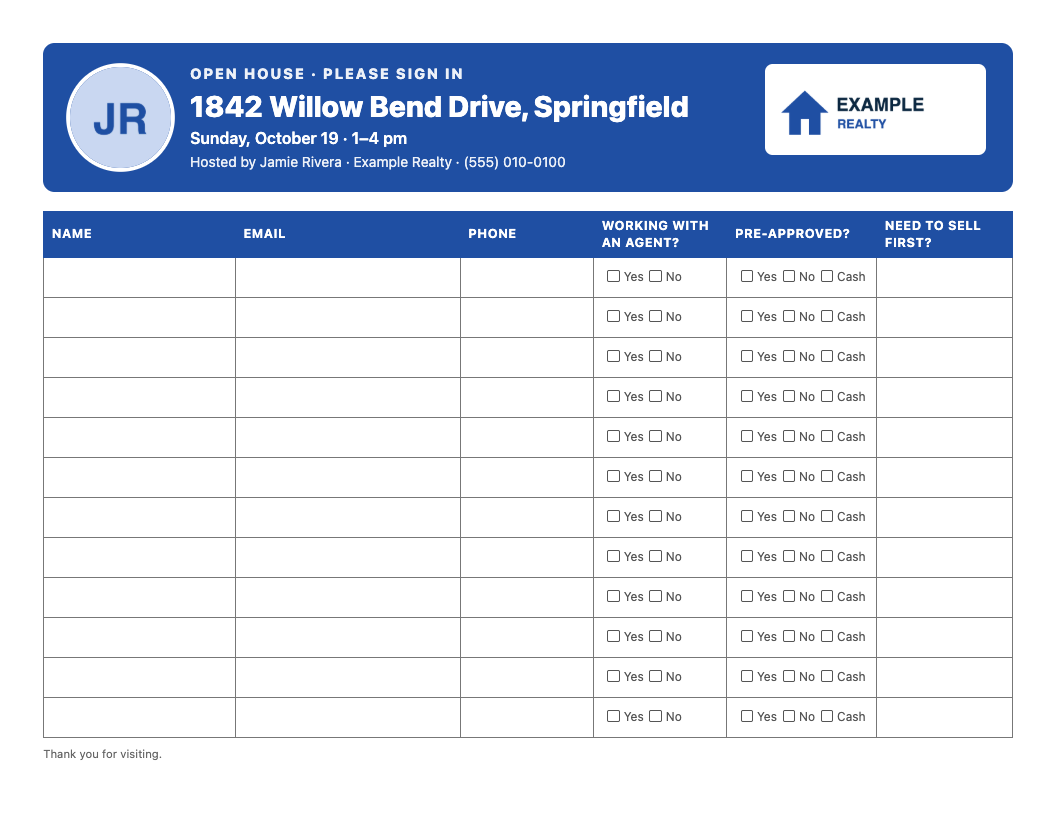
Your logo and photo are resized in your browser and never uploaded to us. The tool remembers your branding on this device, so your next open house sheet takes ten seconds. Brand my sheet →
The safety steps come from NAR’s 10 tips for holding a safe open house: “Have all open house visitors sign in”, “always try to have at least one other person working with you at the open house”, and “Check all of the rooms and the backyard prior to locking the doors.”
Paper is free, needs no setup and works in any house. For a quiet open house it is enough. It has three problems that get worse as the open house gets busier:
| Paper sheet | Our free QR sign-in | |
|---|---|---|
| Works for everyone | Yes | Only visitors with a phone |
| Legible | Often not | Always |
| Other visitors can see the entries | Yes | No |
| A spreadsheet afterwards | You type it up | One click |
| Needs a signal | No | The visitor’s phone does |
Our advice: use both. Print the sheet with the QR code on it: anyone with a phone signs in privately in a few seconds, and anyone without one still has a pen. Make the QR sign-in first (the “QR code sign-in” tab above), then print. For the yard sign or a window card, put the same sign-in link on a sign with our QR code generator for signs.
Want the sign-in to live with the listing itself? Superlisting builds a website for one property from a listing link, with open house sign-in on iPad and phone built in. Your first one is free. The free plan covers one listing, its website and open house sign-in; Unlimited is $29/mo. See Superlisting →
A short thank-you that works:
Subject: Thanks for coming to [address] today
Hi [first name], thanks for stopping by [address]. Here are the photos and details: [listing link]. If you’d like a second look or have questions about the home, reply here or call me on [phone].
[Your name], [brokerage]
If a follow-up email promotes your services, the federal CAN-SPAM Act applies to it. The FTC’s compliance guide says to “tell recipients where you’re located” (a valid postal address) and “how to opt out”, and that you “must honor a recipient’s opt-out request within 10 business days”; each email that breaks the rules can cost “up to $53,088.” If you plan to text visitors, ask your broker what consent your sign-in sheet needs to collect first. (Getting people to the next one: open house flyer examples.)
No. NAR’s consumer guide to open houses and written agreements says a buyer who is just visiting an open house, or asking an agent about their services, does not need to sign one, and the agent hosting it on the seller’s behalf does not need one with the visitors either. Once you start working with a visitor as their agent, the written-agreement rule applies before you tour homes with them. Your state may add its own rules, so check with your broker.
Name, email, phone number, whether the visitor is working with an agent, and whether they are pre-approved for a mortgage or paying cash. A buying timeline is a good optional sixth. Those tell you who to call first the next morning. NAR’s safety tips also list the visitor’s address; add it if your brokerage wants it for its records.
Yes. The printable PDFs, the Word and Excel templates, the branded sheet and the QR sign-in are all free, with no account, no email address and no watermark.
Yes. Download the Word (.docx) template to change the columns or wording, or the Excel (.xlsx) template, which has 40 rows and Yes/No drop-downs. Both print on US Letter in landscape.
Yes. Upload the Word or Excel file to Google Drive and open it with Google Docs or Google Sheets. To add your logo, photo and brand color without editing a file, use the tool on this page and save the result as a PDF.
It is the host’s request, not a law. NAR’s safety tips recommend agents have all open house visitors sign in. Give visitors a reason (“I’ll send you the details”) and most will.
No. NAR’s consumer guide says a buyer just visiting an open house does not need to sign a written buyer agreement. Your state may add its own rules, so check with your broker.
Yes. Create the free QR sign-in on this page and print the code on the sheet or on the door poster. Visitors scan it with their phone’s camera and sign in on their own screen, so nobody else sees their details.
Yes. Add your brokerage logo and a headshot, choose a style (classic, a color header, or lines only) and your brand color, and add one question of your own as an extra column. The images are resized in your browser and never uploaded to us, and this device remembers your branding for your next open house.
Only someone with your private results link. We do not show them to anyone else, do not contact the people who sign in, and do not pass their details to anyone.
90 days from the day you create the sign-in, then they are deleted automatically. You can delete them sooner from your results page, all at once or one at a time. Download the spreadsheet before then if you want to keep them.
We cannot recover it: we only store a scrambled version of it, so we cannot look it up for you. Copy it, or use “Email it to me” when you create the sign-in. Links you create are also listed on this page on the same device.
Yes. Open the sign-in page on an iPad or any tablet and leave it by the door. After each visitor signs in there is a button to sign in the next person. The tablet needs an internet connection.
The QR sign-in runs on each visitor’s phone over their own mobile data, so the house needs no wifi. A tablet at the door does need a connection, so keep the printed sheet out as a backup.
From the QR sign-in, download the spreadsheet (CSV) from your results page and import it into your CRM. From a paper sheet, type the rows into the Excel template first, then import that.
Make a new sign-in for each open house, so each list belongs to one property and one date.
On the QR sign-in, you choose whether to ask if the visitor is working with an agent, whether they are pre-approved, and when they hope to buy. Name plus an email or phone number is always asked. On paper, pick a layout or add one question of your own.
Updated October 24, 2026.
Need sign-ins to land in your CRM? We priced 19 apps and read their terms for who else gets your visitors’ details. Compare open house sign-in apps →
Superlisting builds a website for one property from a listing link: a full-screen gallery, your listing video, the neighborhood on a map and a contact form that reaches you, not a portal’s lead queue. Open house sign-in on iPad and phone is built in. Your first one is free. The free plan covers one listing, its website and open house sign-in. Unlimited property websites $29/mo.
Build the home’s website free →