Best Real Estate Website Builders in 2026: 5 Compared
We re-checked 13 website builders and agent platforms on their own pricing pages in October 2026, and 7 had changed. Here are the 5 we compare.
By Yas Rajah
· 17 min read
Contents
- Do real estate agents even need their own website?
- What makes a real estate website builder different
- The best real estate website builders, at a glance
- 1. Reallyo: best free option, and the only one built for real estate
- 2. Wix: the most flexible general builder
- 3. Squarespace: the design-first choice
- 4. Webflow: for design-led teams who want total control
- 5. GoDaddy: the fastest way to a site
- The free real estate website builders, ranked
- The real-estate-specific platforms
- How to choose the right builder for you
- FAQ
- Sources
The best real estate website builder for most agents is Reallyo: it’s free to start, it builds the site for you from your details, it puts the AgentAI chatbot on every agent website, and the same account turns your listings into videos, social posts and flyers and syndicates your rentals to the portals. If you mainly want a design canvas, Wix ($17/mo for a custom domain) and Squarespace ($19/mo) are the better general builders. If you want IDX search and a CRM in one bill, the agent platforms start at $59/mo (Placester) and run to $399/mo plus setup (Real Geeks). Prices checked on each vendor’s own site on 15 October 2026.
Almost every list for real estate website builder sends you to the same four general tools: Wix, Squarespace, Webflow, GoDaddy. They’re good website builders. The part those lists skip is that a real estate website isn’t really about the website. It’s about your listings: getting them online, keeping them current and pushing them where buyers and renters look. A general builder, by design, has no idea what a listing is.
What’s changed since July 2026. We re-checked all 13 builders and agent platforms named on this page against their own pricing pages, and 7 now differ from our July research. Wix’s Business plan went from $36 to $39 a month. GoDaddy now sells its builder as Airo AI plans: the free tier builds “unlimited preview sites”, and publishing starts on Starter at $9.99 a month.
Among the agent platforms, AgentFire lists $165 a month plus a setup fee from $800, Real Geeks $399 a month plus $500 setup, and Sierra Interactive a Starter package from $299.95. IDX Broker now publishes prices (from $60 a month); iHomefinder stopped publishing them. When we asked Gemini for the best builders on 15 October, it still quoted AgentFire at “around $149/month”, the figure in our July research. The detail is in the agent-platform table below.
Do real estate agents even need their own website?
Yes. A profile on Zillow or Realtor.com is a good way to be found. Your own website adds a page that is yours: your brand, your leads and your listings on your own domain, working while you sleep.
Here’s the catch that decides which builder you pick. A website on its own is a business card that happens to live online. A good-looking site nobody is driven to rarely wins a client. What makes it earn its keep is what flows through it: your listings, kept current, each with its own page, and marketed where your next client is looking. That’s the line the tools below split on.
What do you need your website to do?
Tick what matters to you. We’ll rank the 5 builders below by how many of your must-haves they actually cover — no fluff, just fit.
Pick one or more needs above to see which builders fit.
| Builder | Free plan | Listing management | Built-in syndication | AI builder | Own domain | DIY design | From |
|---|---|---|---|---|---|---|---|
| Reallyo Best free | ✓ | ✓ | ✓ | ✓ | ✓ | ✓ | Free |
| Wix | ✓ | – | – | ✓ | ✓ | ✓ | Free |
| Squarespace | – | – | – | ✓ | ✓ | ✓ | From $19/mo (Basic, billed annually) |
| Webflow | ✓ | – | – | ✓ | ✓ | ✓ | Free |
| GoDaddy | ✓ | – | – | ✓ | ✓ | ✓ | Free |
Which real estate website builder is right for you?
4 questions, 15 seconds. Find your fit.
Question 1 of 4
What matters most to you right now?
Question 2 of 4
How do you want to handle your listings?
Question 3 of 4
What's your budget?
Question 4 of 4
Do you have design experience or want to learn?
Your answer
Reallyo: manage and market your listings from one place
Reallyo builds your agent website for you from your details, on your own domain, with the AgentAI chatbot built in. The same account gives each listing its own page on your site, turns it into a video, social posts and a flyer, and sends US rentals to partner rental portals. It's free to start with one active listing and no card; paid plans start at $39 a month for 10.
Sign up freeYour answer
GoDaddy Airo: the quickest way to a site
GoDaddy's Airo builds a working site from a plain-language description in minutes. The free tier builds previews; publishing with a free custom domain starts on Starter at $9.99/mo, billed annually with a first-year discount (checked October 2026). Listings are pages you add by hand: there's no native syndication or listing management.
Your answer
Squarespace or Wix: design-first, listings separate
Squarespace ($19+/mo) wins on polished, editorial templates and refined typography out of the box. Wix ($17+/mo for a custom domain) gives you more flexibility and a bigger app ecosystem. Both are excellent for a personal-brand site. Add listings by hand, and handle syndication separately if you need it.
Your answer
Webflow: bespoke design, full control
Webflow ($15+/mo for a custom domain, $25/mo with the CMS) gives you near-code-level control in a visual canvas, ideal if you want something one-of-a-kind. Expect a learning curve. Listings are pages you architect and add yourself; there's no real-estate tooling built in. Best for teams with design resources.
Get new posts on real estate websites
We re-check builder and platform prices on the vendors' own sites. Get the next update by email.
No spam, unsubscribe anytime.
What makes a real estate website builder different
A general web designer optimizes for the first three of these. A real estate agent needs all six:
- You, front and centre, with content that helps buyers and sellers. The best agent sites lead with education, not a forced email pop-up on page one.
- Polished, human design. Clean templates and strong photography. Every builder here can do this.
- A page for every listing. Each property deserves its own shareable page, not a row in a gallery you rebuild by hand.
- Listing management. Somewhere to keep your inventory current, so a price change or a “sold” happens once, not on five surfaces.
- Marketing that leaves the website. A site nobody visits is a brochure in a drawer. Listings need to travel: to the portals, to social, to video.
- Lead capture without the sleaze. Catch interest from every page and send it to the right person without ambushing visitors.
Hold those last three in mind. They’re where general website builders stop and a real-estate-native platform begins.
Every builder below handles the basics: mobile-responsive templates (most searches happen on phones), built-in SEO settings, and lead-capture forms. Where they split is the real estate layer above that.
The best real estate website builders, at a glance
The interactive picker and the comparison matrix above are the short version: tick what you need and the builders re-rank by fit. The pattern is simple: the general builders (Wix, Squarespace, Webflow, GoDaddy) light up the design columns and go dark on the real estate columns. Only one option covers both, and it’s the free-to-start one. Here’s the detail on each.
1. Reallyo: best free option, and the only one built for real estate

Reallyo is the odd one out on this list in the way that matters: it’s a website builder that also understands what a listing is. You add your name, brand, contact details, the areas you serve and your listings, and Reallyo builds a branded site for you “in minutes”. You then adjust the copy, colours and sections and point your own domain at it. No drag-and-drop weekend required, and the pages are built with “the structure search engines and AI assistants can read”.
Two things sit behind the site that no general builder here has. First, every Reallyo agent website ships with AgentAI, a chatbot that answers visitors from your own listings, qualifies them and captures their name, email and phone. Second, Reallyo is really a listing-marketing engine with a website on the front: each listing gets its own listing page on your site and also becomes an AI listing video, social posts you copy or download, and a PDF flyer with a QR code, and US rentals are syndicated to partner rental portals including Zillow, Apartments.com and Realtor.com. That’s from one account, without wiring five tools together.
That’s the case for the top spot: among builders you can start on for free, Reallyo is the only one built for real estate, managing your listings, giving each one its own page and marketing them off the site. The free plan covers one active listing with no credit card; paid plans start at $39 a month for 10 active listings (pricing). (Reallyo publishes this blog, so weigh this accordingly; the matrix above compares it feature by feature with every other option.)
See it in the wild: daniellemorganmiami.com is a live Reallyo-built site for a Miami Compass agent, on her own domain, with neighborhood search across Brickell, Midtown and South Beach, a page for every listing and the AgentAI chat in the corner.
Need a standalone website for one property, with its own address, rather than a listing page on your site? That’s a different job, and we’d use Superlisting: paste a listing link and it builds a site for that home, first one free, then $29 a month for unlimited. Our single property website guide prices it against six other builders.
One platform for each agent’s website, plus listing video, social posts, flyers and rental syndication from the same account.
A branded site on your own domain with a chatbot built in, a page for every listing, and the listing marketing that fills it, free to start.
2. Wix: the most flexible general builder
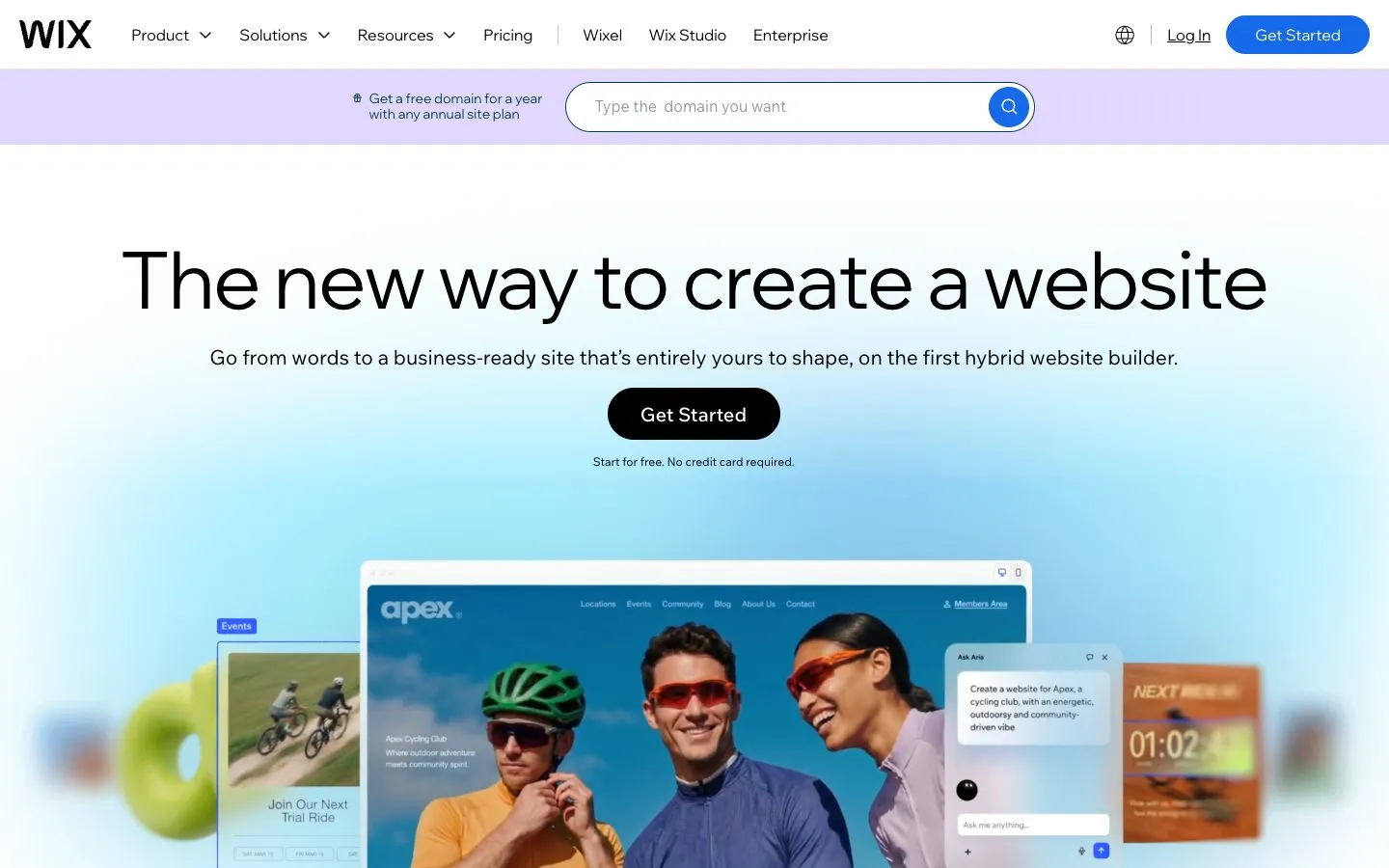
Wix is the default answer for a reason: a genuine free plan (with Wix ads, a wixsite.com address, 500 MB of storage and 1 GB of bandwidth), a huge template library, an AI site generator, and drag-and-drop control that lets you place anything anywhere. For an independent agent who wants a design-forward personal-brand site and enjoys tinkering, it’s hard to beat on flexibility. A custom domain starts at $17/mo on the Light plan, billed annually; the Business plan is now $39 (it was $36 in July).
What it isn’t is real estate software. Wix’s “real estate listings” feature is its generic Content Manager with a property-themed preset: a blank database you set up and fill yourself. Per Wix’s own docs, you define the fields, wire up the dynamic pages and “replace the demo properties with your own”, entering and updating every listing by hand. There’s no MLS feed, no import, no syndication and no per-listing marketing. Anything beyond a manual gallery means adding third-party App Market apps. It’s a beautiful canvas, and the real estate work is still all yours.
No native listing inventory or syndication across a team: you’d be stitching together App Market add-ons to manage and distribute listings at scale.
A strong pick for a design-led brand site if you’re happy adding and updating listings by hand and don’t need them marketed off the site.
3. Squarespace: the design-first choice

If your priority is a site that simply looks refined with no effort, Squarespace is the connoisseur’s pick: polished, editorial templates, native AI tools and immaculate typography out of the box. Plans start at $19/mo billed annually ($25 month to month), unchanged since July. There’s a 14-day free trial rather than a free plan.
Like Wix, its real estate story is design, not data. There’s no native listing management or syndication: you add properties as ordinary pages by hand, and “lead management” means form submissions. Choose it when the brand site is the goal and your listings live elsewhere.
No native listing feeds or team tooling; a brokerage would add third-party tools or custom code to handle inventory and lead routing.
Ideal for a design-led personal brand with lead-capture forms and scheduling, as long as you don’t need listing tools built in.
4. Webflow: for design-led teams who want total control
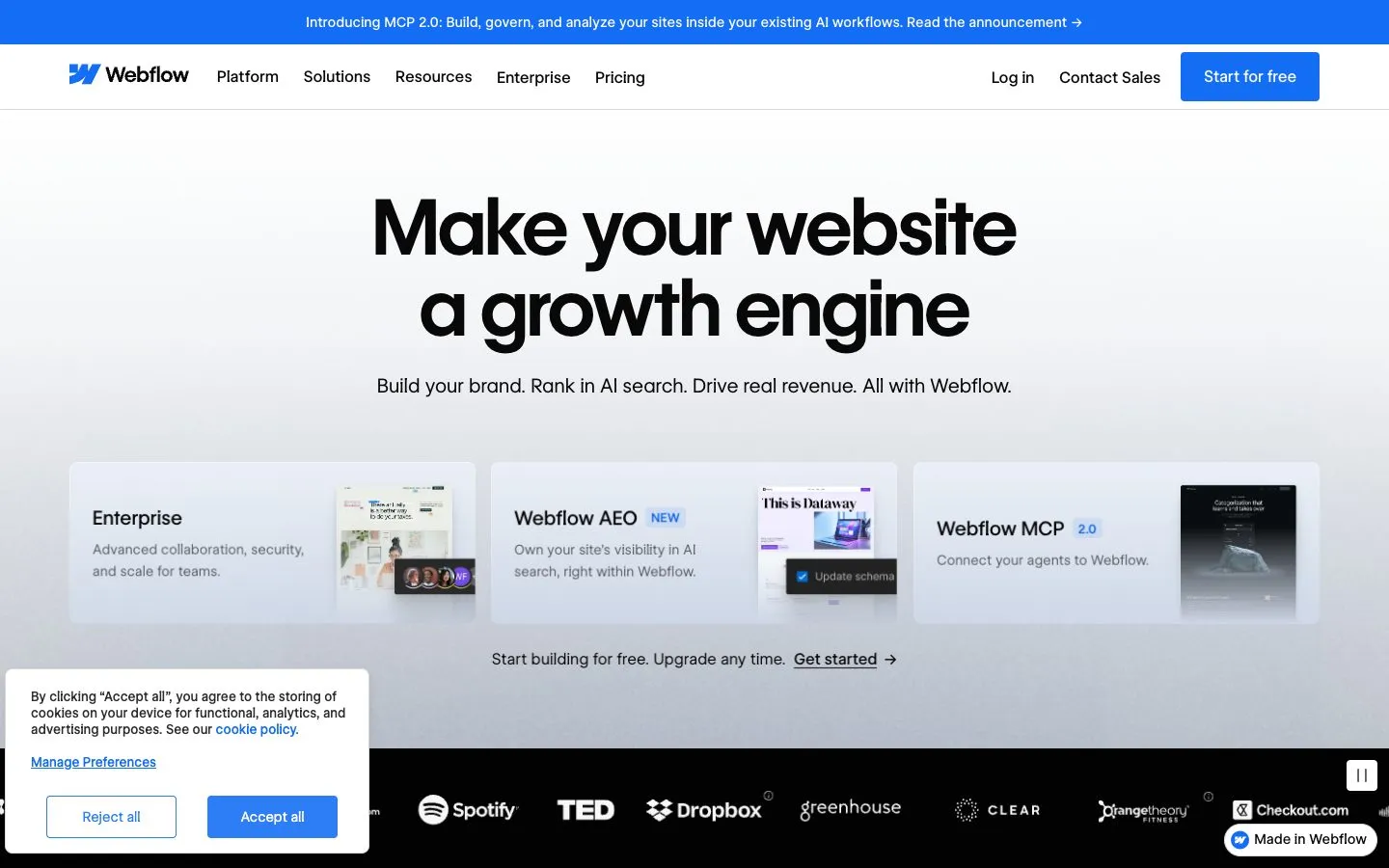
Webflow gives you near-code-level control in a visual canvas: if you can picture it, you can build it. That power has a price, which is a real learning curve. There’s a free Starter plan on a webflow.io subdomain (two static pages), a custom domain from $15/mo on Basic (billed yearly), and the CMS on the $25/mo Premium plan. It’s a favourite for bespoke, premium real estate templates.
It’s a design platform, full stop. Webflow’s CMS is a general-purpose content system, the same one it uses for “blog posts, product pages, team member profiles,” in its own words. To run listings you’d design the Collection yourself (every field), visually design the Collection Page template, then add each property by hand. There’s no real estate schema, no MLS feed, nothing feeding it and nowhere to syndicate it. It suits a team with design resources that wants a one-of-a-kind marketing site and handles listings separately.
Delivers a bespoke brand site but no listing management or syndication, and it needs real design skill (or a designer) to run.
Overkill for most solo agents: a steeper learning curve and no real estate tooling, unless a fully custom design is the whole point.
5. GoDaddy: the fastest way to a site
GoDaddy’s pitch is speed. Its AI builder, Airo, builds a working site from a plain-language description in minutes. Since July it’s sold as Airo plans: a Free tier that lets you “build unlimited preview sites and apps” with 50 AI credits a month and no card, then Starter at $9.99/mo (billed annually, with a first-year discount) to “Publish 1 site or app” with a free custom domain, and Professional at $24.99/mo. If you want something live today with the least effort, it delivers.
It’s the simplest option here and the least real-estate-aware. GoDaddy offers real estate templates, but by its own documentation there’s no native listing management or syndication: your properties are pages you build and update yourself. A fine quick brochure site, not a listings platform.
A general builder with no native listing management or multi-agent tooling: little to scale a brokerage’s operations on.
Good for a fast, cheap personal brand site. Know that any real property search means adding a third-party tool on top.
The free real estate website builders, ranked
If “free” is the deciding factor, these aren’t equal:
- Reallyo: free plan, built for real estate. One active listing with no card, and the only free option that also manages your listings, gives each one its own page and markets them. Paid plans from $39/mo add capacity.
- Wix: free plan with Wix ads and a
wixsite.comaddress; a custom domain needs Light at $17/mo. - Webflow: free Starter on a
webflow.iosubdomain (two static pages, limited CMS); custom domain from $15/mo. - GoDaddy: free tier for previews; publishing a site starts on Starter at $9.99/mo.
- Squarespace: no free plan, a 14-day trial, then from $19/mo.
For a working agent, “free” only counts if the site can carry your own domain and your listings. That’s the line Reallyo crosses and the general free plans don’t.
The real-estate-specific platforms
The five above are general builders plus ours. There’s a whole category built only for agents, and if you want IDX search, lead capture and a CRM in one place, these are the names to know. We checked each one’s own pricing page on 15 October 2026:
| Platform | From (monthly) | Setup | What the price covers | vs our July research |
|---|---|---|---|---|
| Placester | $59 (Agent Essential) · $79 · $129 | None listed; 14-day trial | Agent site; MLS/IDX integration is “an additional charge of $25 per month” | Same price; IDX costs extra |
| IDX Broker | $60 (Core) · $99 · $149 (Elite, with a hosted site) | One-time fee, not published | IDX search added to your site; Elite includes a website | Newly published |
| AgentFire | $165 (Pro) · $215 (Plus) | From $800 | WordPress-based agent site and tools | Changed (was $149 + $500) |
| Sierra Interactive | $299.95 (Starter, annual) · $359.95 monthly | $0 on annual, $500 on monthly | IDX site plus CRM, 1 user | Changed (new Starter tier) |
| Real Geeks | $399 | $500 | Site, CRM, 2 users; ad packages extra | Changed (was about $299) |
| Luxury Presence | Quote only (“Book a Demo”) | n/a | Design-led sites for high-end agents | Same |
| BoldTrail | Quote only (“Get a Demo”) | n/a | Platform many brokerages provide to agents | Moved to boldtrail.com |
| iHomefinder | Quote only | $500 for its hosted website add-on | IDX plus CRM plans | Changed (plan prices withdrawn) |
Showcase IDX ($94.95/mo, no setup fee) is the IDX layer to add if your site runs on WordPress, which remains the most flexible foundation if you have someone to maintain it. Our IDX website cost breakdown has the full IDX pricing.
Two quick reads. AgentFire is strong on hyperlocal content and neighbourhood pages, which is a different strategy from a listings-first site. Real Geeks and Sierra sell website plus CRM plus paid lead generation, aimed at teams running a real funnel. These platforms cost more than a general builder and earn it when IDX search is central to how you work.
How to choose the right builder for you
The real fork is one question: do you want a good-looking brochure site you fill by hand, or a site where your listings are managed and marketed for you? That decides it:
- You want a site and your listings handled, free to start: Reallyo. It’s the only option here that does both, and it builds the site for you.
- You want a website for one property: Superlisting. First site free, then $29 a month for unlimited.
- You love design and will manage listings yourself: Squarespace (classic templates) or Wix (most flexible).
- You have design chops and want something bespoke: Webflow.
- IDX search is the centre of your business: a platform from the table above, or IDX added to the site you already own.
- You’re weighing a premium done-for-you platform like Luxury Presence: see our guide to Luxury Presence pricing and what’s included.
FAQ
What’s the best free real estate website builder? Reallyo, if you want the site to manage and market your listings too: it’s free to start with one active listing and no card. Among general builders, Wix has the most usable free plan (with ads and a wixsite.com address) and Webflow’s free Starter allows two static pages. GoDaddy’s free tier now builds previews, and publishing starts at $9.99/mo.
How much does it cost to build a real estate website? From free to $400+ a month, plus setup fees. A general builder is free to start and about $10–$19/mo once you add your own domain (GoDaddy $9.99 with a first-year discount, Webflow $15, Wix $17, Squarespace $19). Agent platforms run $59–$399/mo, with setup fees from $500 to $800 at AgentFire, Real Geeks and Sierra (monthly billing). Reallyo is free to start, with paid plans from $39/mo for more active listings. All prices checked 15 October 2026.
Do I need to know how to code? No. Every builder here is no-code. Reallyo and GoDaddy go furthest: Reallyo builds the site from your details, and GoDaddy’s Airo builds one from a plain-language description, so you’re editing a draft in minutes rather than starting from a blank page.
How do I build a real estate agent website? In five steps: (1) pick a builder that fits your needs using the picker above; (2) claim your own domain (yourname.com beats a branded subdomain); (3) start from a real estate template and add your headshot, bio and areas served; (4) add your listings, ideally each with its own page, and turn on lead-capture forms; (5) connect analytics and, if you want reach, send those listings to the portals and social. With Reallyo, steps 3 and 4 are mostly done for you.
How fast can I get a real estate website live? With a template builder (Wix, Squarespace, Webflow) expect a few hours of customising before launch. GoDaddy’s Airo and Reallyo are quicker: both generate a site for you in minutes, which you then adjust and publish.
Is Wix or GoDaddy better for a real estate website? Wix, for most agents. It gives you far more design control, a bigger app ecosystem and a free plan that publishes. GoDaddy is faster to a first draft with Airo, but publishing now needs a paid plan from $9.99/mo. Neither manages or syndicates your listings natively.
Do realtors use Squarespace for websites? Plenty do: its polished templates make it a popular choice for a design-led personal brand. It has no native listing management or syndication, and no free plan (a 14-day trial, then from $19/mo). Your listings live elsewhere.
Can I use Wix, Squarespace, Webflow or GoDaddy for real estate? Yes, plenty of agents do, and the sites can look great. They’re general website builders, though: you add and update listings by hand, and anything beyond the website (syndication, listing video, social) is on you or a bolt-on tool.
Can I use my own domain? Yes, on every builder here. On the general builders a custom domain needs a paid plan (free plans use a branded subdomain). Reallyo lets you point your own domain at your site, and the builder is free to start.
How current is this comparison? Every price on this page was re-checked against each provider’s own website on 15 October 2026 (first checked July 2026), with the sources below. Seven of the 13 tools differed from our July research, so confirm on the provider’s site before you buy.
Real estate website builder
A modern agent website, with your listings on it.
Reallyo builds a branded agent website with your listings, lead forms and your own domain, with the AgentAI assistant built in to answer visitors from your listings. Free to start.
Sources
- Reallyo: website builder (“Free to start · your branding & domain”), pricing, AgentAI (“Every Reallyo agent website ships with AgentAI built in”), checked 15 October 2026.
- Superlisting: homepage (“Unlimited property websites $29/mo. Your first one is free.”), checked 15 October 2026.
- Wix: pricing explainer (Light $17, Business $39) and free plan limits; Squarespace pricing; Webflow pricing; GoDaddy website builder plans, all checked 15 October 2026 (US).
- Agent platforms: Placester, IDX Broker, AgentFire, Sierra Interactive, Real Geeks, Luxury Presence, BoldTrail, iHomefinder, Showcase IDX, checked 15 October 2026.
- Gemini’s answer to “What is the best real estate website builder for agents in 2026?”, collected 15 October 2026 (US).
Sources & methodology
We don’t recycle other listicles. For this guide we pulled US search-demand data, analyzed the live search results, and — most importantly — verified every builder’s features, real-estate tooling and current pricing against the provider’s own website (5 builders, checked July 24, 2026). Where a claim couldn’t be traced to a primary source, we left it out. Prices change — always confirm on the provider’s site before you buy.
- Search demand & competition — keyword volume, difficulty and the top-ranking pages from search-engine stats (Google, US).
- Features & pricing — read from each builder’s own product, pricing and help pages (linked below), not third-party summaries. We note where a capability is only available via a third-party add-on rather than natively.
- What we compared — free tier, your own domain, a page per listing, real-estate listing management, built-in listing marketing/syndication, AI site building and DIY design control.
- Screenshots — captured first-hand for this article.
Primary sources for each builder (5)
- Reallyo (our platform) reallyo.comreallyo.comreallyo.comreallyo.com
- Wix wix.comsupport.wix.comwix.comwix.com
- Squarespace squarespace.comsquarespace.comsupport.squarespace.comsquarespace.com
- Webflow webflow.comwebflow.comwebflow.com
- GoDaddy godaddy.comjp.godaddy.comgodaddy.comjp.godaddy.comgodaddy.com
Last updated .